
Introduction
In the realm of emergency preparedness, reliable communication is paramount. When traditional communication infrastructure fails or becomes unavailable, having a robust and secure alternative can mean the difference between chaos and a coordinated response. Enter Meshtastic, an open-source project that aims to create an encrypted mesh network for off-grid communication. This innovative solution has the potential to revolutionize the way we stay connected during emergencies, providing a decentralized, resilient, and secure communication platform.
In this comprehensive guide, we’ll delve into the world of Meshtastic, exploring its origins, core features, and the benefits it offers for emergency communication. We’ll walk you through the process of setting up and configuring your own Meshtastic network, ensuring that your communications remain secure and private, even in the most challenging situations.
Be sure to check out our most recent post on Meshtastic for and even deeper dive! You can see it HERE
Understanding Meshtastic
What is Meshtastic?
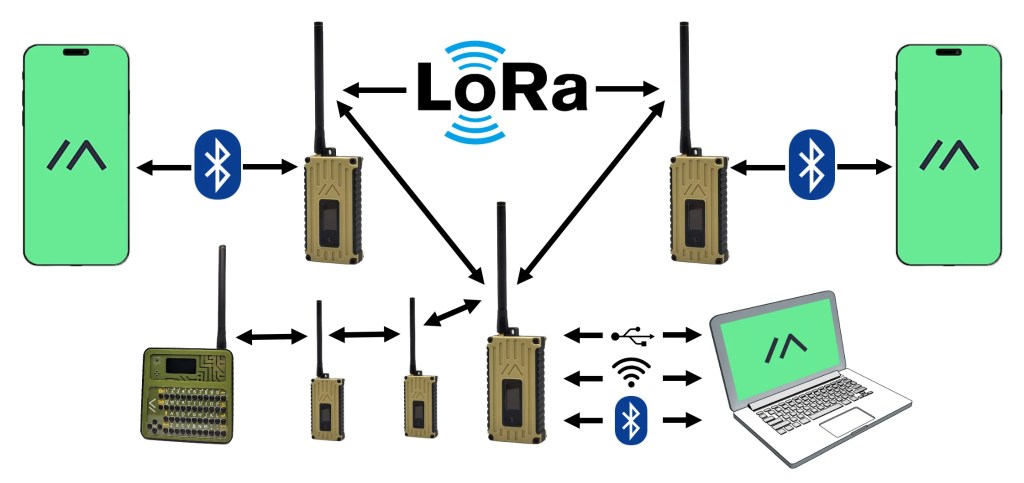
Meshtastic is a decentralized, peer-to-peer communication system that allows users to create a mesh network using compatible handheld radios. Unlike traditional radio communication, which relies on a central infrastructure, Meshtastic operates as a mesh, where each node (radio) can relay messages to other nodes within range, creating a resilient and redundant network.
The Origins of Meshtastic
Meshtastic was born out of a desire to create a secure and reliable communication solution for off-grid scenarios. Developed by a team of passionate developers and enthusiasts, the project aims to leverage the power of mesh networking and modern encryption techniques to provide a robust communication platform that can withstand disruptions to traditional infrastructure.
Benefits of Meshtastic for Emergency Communication
Encrypted Communication: Meshtastic employs end-to-end encryption, ensuring that your messages remain secure and private, even in the event of an emergency. This feature is particularly crucial for scenarios where sensitive information needs to be shared or when operating in hostile environments.
Off-Grid Capabilities: Since Meshtastic doesn’t rely on traditional communication infrastructure, it can operate in areas where cellular networks and internet connectivity are unavailable or disrupted. This makes it an invaluable tool for emergency responders, search and rescue teams, and communities affected by natural disasters or other emergencies.
Decentralized and Resilient: With no central point of failure, Meshtastic’s mesh network is highly resilient, as messages can be routed through multiple nodes, increasing the chances of successful communication. This redundancy ensures that even if some nodes fail or are compromised, the network can continue to function.
Long-Range Communication: By leveraging the mesh network, Meshtastic can extend the range of communication beyond the limitations of a single radio, allowing for long-distance messaging in emergency situations.
Open-Source and Community-Driven: As an open-source project, Meshtastic benefits from a vibrant community of developers and users, ensuring continuous improvement, support, and transparency.
Setting Up Your Meshtastic Network
To take advantage of Meshtastic’s capabilities, you’ll need to follow a few key steps to set up and configure your network. Here’s a step-by-step guide:
Step 1: Download Meshtastic Software
Setting up Meshtastic involves several steps. First, you need to download the Meshtastic software from the official website (meshtastic.org) by navigating to the “Downloads” section and selecting the appropriate version for your operating system (Windows, macOS, or Linux). Once downloaded, follow the installation instructions provided, which may vary depending on your operating system.
Step 2: Ensure Hardware Compatibility
Next, you’ll need to obtain compatible hardware. Meshtastic requires specific hardware to function as a node in the mesh network. Check the “Supported Hardware” section on the Meshtastic website to find a list of compatible devices, such as LoRa radio boards or compatible development boards. Purchase or obtain one of the recommended devices.
Step 3: Connecting Your Device
After acquiring the necessary hardware, follow the instructions provided by Meshtastic for connecting your specific hardware to the computer or device running the Meshtastic software. This may involve using a USB cable, Bluetooth, or other interfaces, depending on the hardware you have.
Step 4: Configuring Your Device
Once the hardware is connected, open the Meshtastic software on your computer or device. Follow the on-screen prompts or refer to the documentation to configure your hardware and set up the necessary settings. This process may include setting up channels, encryption keys, and other preferences.
With your hardware and software configured, your device will become a node in the Meshtastic mesh network, allowing you to send and receive encrypted messages with other nodes within range. If you want to create a private mesh network with specific individuals or groups, you can share the necessary encryption keys and channel information with them, and they can follow the same setup process to join your mesh network.
Step 5: Joining the Mesh Network
Once your network is configured, your device will become a node in the Meshtastic mesh network, allowing you to send and receive encrypted messages with other nodes within range. You can invite others to join your network by sharing the necessary encryption keys and channel information.
Meshtastic offers various advanced features, such as GPS integration, text messaging, and data sharing. You can explore these features by referring to the documentation or community resources to learn more about how to configure and utilize them. Look for a post in the future on this, as we plan to do an even deeper dive into peripheral setup!
It’s important to note that setting up Meshtastic can be a technical process, especially for those new to mesh networking and radio programming. The Meshtastic community provides extensive documentation, tutorials, and support to assist users in getting started. Additionally, it’s recommended to familiarize yourself with the legal regulations and requirements for operating mesh networks in your area.
Taking your Meshtastic to New Heights
When it comes to hardware for setting up Meshtastic, there are several options available. Here are some recommended hardware choices that are compatible with the Meshtastic project:
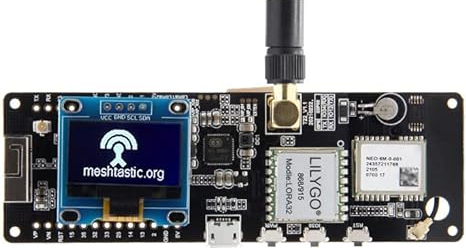
LILYGO T-Beam: This is a popular and widely used board for Meshtastic. It features a LoRa radio module, an ESP32 microcontroller, and a built-in battery charging circuit. The LILYGO T-Beam is a great all-in-one solution for Meshtastic and is available from Amazon and other various online retailers.
Heltec LoRa 32: Similar to the TTGO T-Beam, the Heltec LoRa 32 is an ESP32-based board with a LoRa radio module. It’s a compact and affordable option for Meshtastic and can be found on websites like AliExpress or Amazon.
RAK Wireless RAK4631: This is a LoRa gateway module that can be used with Meshtastic. It’s a more advanced and powerful option, suitable for setting up a dedicated Meshtastic gateway or node. RAK Wireless products are available through their website or authorized distributors.
Raspberry Pi with LoRa Radio Hat: If you already have a Raspberry Pi, you can pair it with a LoRa radio hat or module to create a Meshtastic node. Popular options include the Adafruit RFM9x LoRa Radio Bonnet or the Dragino LoRa/GPS Hat.
It’s important to note that while these hardware options are compatible with Meshtastic, the project’s documentation and community support may vary for different devices. It’s always recommended to refer to the official Meshtastic website and community forums for the latest hardware recommendations and setup guides.
Meshtastic Cases
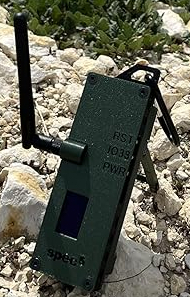
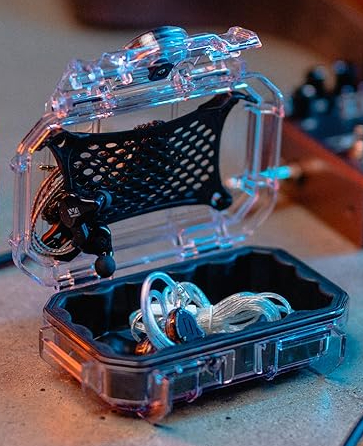
While you could use the Meshtastic in its naked form; protecting your Meshtastic device from the elements is crucial, especially if you plan to use it for emergency communication in outdoor or harsh environments. A durable and well-designed case can not only safeguard your device but also enhance its functionality and ease of use.
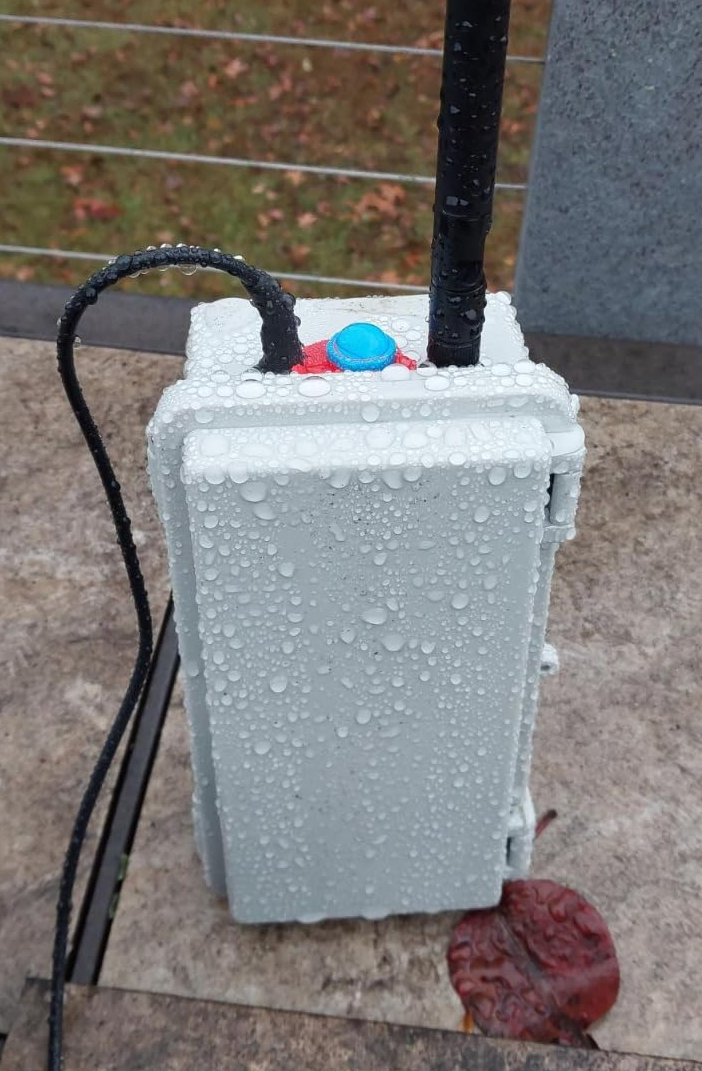
Some cases are purpose made (mostly 3d printed), but for the more robust solution, you could retrofit any number of weather proof cases to protect your node. We like cheap and invisible… why not use a plain old weather proof junction box? Here are some case options to consider for your Meshtastic setup:



Encryption and Security in Meshtastic
One of the key features that sets Meshtastic apart is its robust encryption capabilities. Meshtastic employs AES-256 encryption for the payload of each packet when sending via LoRa, with a different key for each channel. This ensures that your communications remain secure and confidential, even in the presence of potential eavesdroppers or adversaries.
By default, Meshtastic uses a simple known key (“AQ==”) for the primary channel. However, to ensure proper encryption and security, it is crucial to change this key or create a new channel and share it with the individuals or groups you want to communicate with. Failure to do so could compromise the confidentiality of your communications, as anyone with the default key could potentially intercept and read your messages.
It’s important to note that while Meshtastic provides strong encryption for the payload of each packet, the packet header is always sent unencrypted. This allows nodes to relay packets they can’t decrypt, ensuring the resilience and redundancy of the mesh network. However, if you have concerns about the potential for adversaries to deliberately mess with or replay messages, or if you need to conceal the length of your messages, additional security measures may be necessary.
Best Practices for Using Meshtastic in Emergency Situations
While Meshtastic offers a powerful and secure communication solution, it’s essential to follow best practices to ensure its effective and safe use in emergency situations. Here are some key considerations:
Redundancy and Backup Plans: Don’t rely solely on Meshtastic for emergency communication. Have multiple communication methods available, such as traditional handheld radios, satellite phones, or other off-grid solutions, to increase your chances of staying connected.
Battery Power and Backup Sources: Ensure you have sufficient battery power and backup power sources for your communication devices. Consider investing in solar chargers, power banks, and extra batteries to maintain operational readiness.
Communication Protocols: Establish clear communication protocols and procedures within your group or organization. This includes designating communication channels, frequencies, and emergency codes or signals.
Practice and Training: Regularly practice using your Meshtastic network and participate in drills or simulations to ensure familiarity and proficiency in emergency situations.
Maintenance and Preparedness: Keep your Meshtastic equipment well-maintained, updated, and ready for use at all times. Conduct regular checks and replace any outdated or malfunctioning components.
Situational Awareness: Stay informed about potential emergencies or disasters in your area, and be prepared to adapt your communication strategies accordingly.
Collaboration and Information Sharing: Foster collaboration and information sharing with other preparedness groups, emergency responders, and local authorities to enhance communication efforts and coordination during emergencies.
Conclusion
In the ever-evolving landscape of emergency preparedness, Meshtastic stands as a beacon of innovation, offering a secure, resilient, and decentralized communication solution for off-grid scenarios. By leveraging the power of mesh networking and robust encryption techniques, this open-source project empowers individuals, communities, and emergency responders to stay connected, even when traditional communication infrastructure fails.
Whether you’re a prepper, an outdoor enthusiast, or part of an emergency response team, Meshtastic provides a valuable tool in your preparedness arsenal. By following the steps outlined in this guide and adhering to best practices, you can build your own encrypted mesh network, ensuring that your communications remain secure and private, no matter the circumstances.
Remember, preparedness is an ongoing journey, and staying informed about the latest advancements in emergency communication technology is crucial. Embrace the power of Meshtastic, and stay ready to face whatever challenges may come your way, secure in the knowledge that you have a reliable, resilient, and encrypted communication solution at your fingertips.


Leave a comment